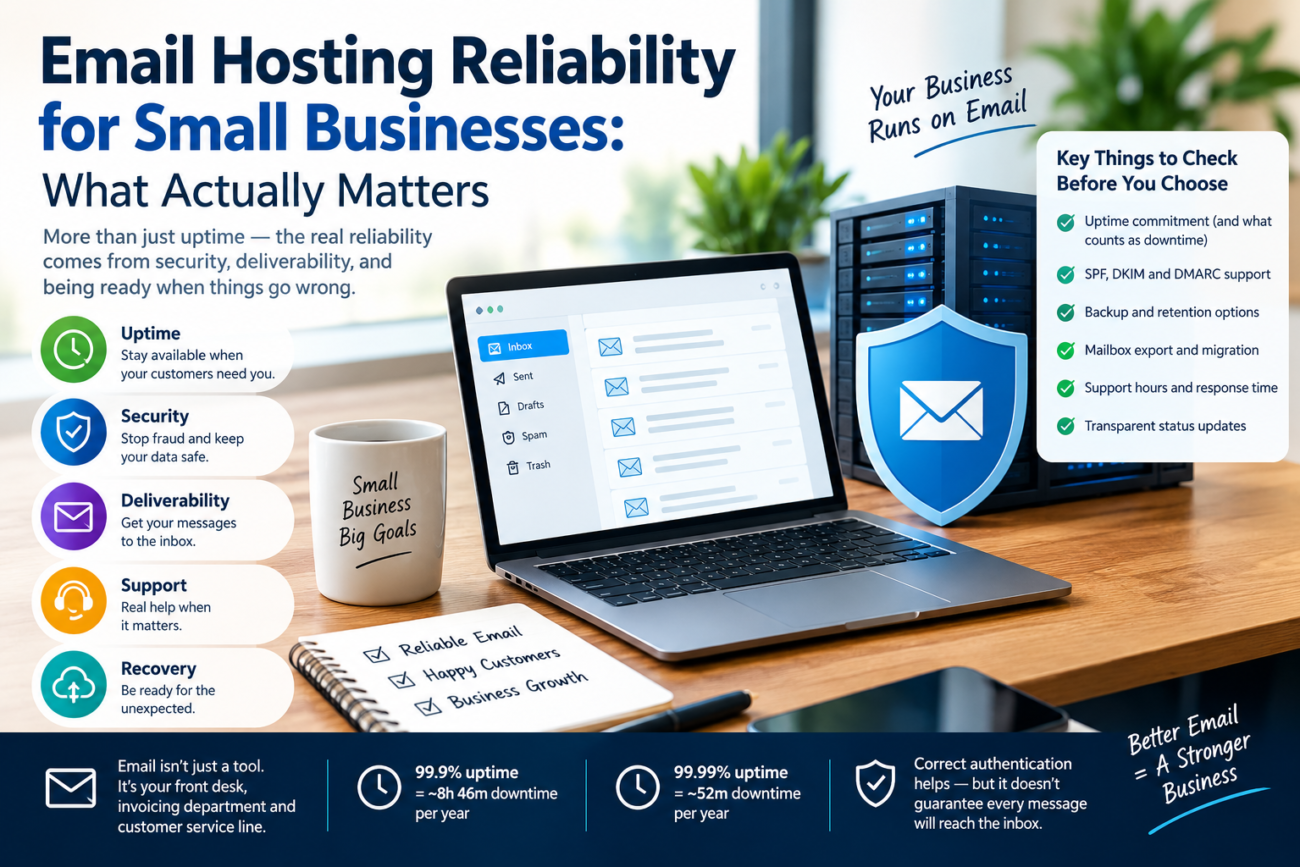
Business email is more than a way to send and receive messages. Small businesses use it for customer enquiries, invoices, password resets, order confirmations, supplier communication, and account recovery. When email becomes unavailable, even temporarily, routine work can slow down and customers may struggle to reach the right person.
Choosing an email hosting provider therefore involves more than comparing mailbox storage and monthly prices. Reliability also depends on server availability, message handling, email authentication, backup options, security controls, and the provider’s ability to explain and resolve incidents.
Understanding these factors helps small businesses choose an email service that fits their needs without paying for unnecessary features.
1. What Email Hosting Reliability Really Means
Email hosting reliability has several components. A provider may have highly available servers but still experience delivery delays, authentication problems, or account-access issues.
The most useful factors to evaluate include:
- Service availability: Can staff access mailboxes and send or receive messages when needed?
- Message delivery: Are messages accepted by receiving mail servers, and are temporary failures handled correctly?
- Authentication: Are SPF, DKIM, and DMARC configured appropriately for the domain?
- Security: Does the service support strong authentication, secure connections, and protection against account compromise?
- Recovery: Can the business restore access to messages if an account, server, or provider experiences a serious problem?
- Support: Can the provider communicate clearly during an outage and explain what customers should do?
These factors should be considered together. A high uptime figure alone does not demonstrate that every message will reach its intended recipient’s inbox.
2. Understanding Email Delivery Delays and Retries
Email delivery is not always instantaneous. When a sending server cannot deliver a message because of a temporary problem, it may queue the message and attempt delivery again later.
For example, a receiving server might temporarily reject a message because it is busy or undergoing maintenance. The sending server may retain the message and retry instead of immediately treating it as permanently undeliverable.
The technical standard RFC 5321, Section 4.5.4.1 discusses SMTP retry behaviour. It recommends that retry intervals generally be at least 30 minutes and says that the give-up time should generally be at least four to five days.
These are recommendations for SMTP implementations, not a guarantee that every email service will retry on precisely the same schedule. Provider policies, the type of failure, and the receiving server’s response can affect what happens to an individual message.
Businesses should understand the difference between a temporary delivery delay and a permanent failure. They should also know how their provider reports rejected messages, delivery errors, and undelivered mail.
For important business communication, staff should not assume that a message has arrived simply because it appears in the Sent folder. When a message is critical, confirm receipt through an appropriate channel.
3. Uptime: What 99.9% and 99.99% Actually Mean
Email hosting providers may advertise availability figures such as 99.9% or 99.99%. These percentages sound similar, but the potential downtime allowance is different.
| Advertised availability | Approximate downtime per year |
|---|---|
| 99% | 3 days, 15 hours, 36 minutes |
| 99.9% | 8 hours, 46 minutes |
| 99.99% | 52 minutes, 34 seconds |
These calculations assume a 365-day year and uninterrupted measurement. They illustrate the mathematical difference between availability levels; they do not predict how often a particular provider will experience an outage.
Before comparing uptime promises, read the service-level agreement (SLA). Check how availability is measured, which services are covered, whether scheduled maintenance is excluded, and what remedies are available if the provider misses its commitment.
A service credit is not the same as compensation for lost business. For a small company that relies heavily on email, the practical consequences of an outage may be more important than the advertised percentage.
Also, distinguish between service availability and email deliverability. A service may be accessible while some messages are rejected or filtered by recipients. Conversely, a receiving mail server may be unavailable even when the sender’s provider is operating normally.
4. SPF, DKIM, and DMARC: Why Authentication Matters
Email authentication helps receiving providers evaluate whether messages are legitimately associated with a domain. It can reduce opportunities for domain impersonation and support responsible sending practices.
The three principal mechanisms serve different purposes:
- SPF (Sender Policy Framework): Identifies the servers authorised to send email for a domain.
- DKIM (DomainKeys Identified Mail): Adds a cryptographic signature that receiving servers can verify.
- DMARC (Domain-based Message Authentication, Reporting and Conformance): Lets a domain owner publish a policy for handling messages that fail authentication checks and receive relevant reports.
These mechanisms are related, but they are not interchangeable. Their configuration should match the business’s actual sending setup, including any third-party services used for newsletters, invoices, support tickets, or marketing campaigns.
Google’s email sender guidelines explain the authentication and sending requirements for messages delivered to personal Gmail accounts. Yahoo also publishes its own Sender Best Practices.
Correct authentication does not guarantee that every message reaches the inbox. Receiving providers may also consider sender reputation, complaint rates, message characteristics, recipient-server policies, and other filtering signals.
For this reason, small businesses should treat authentication as a necessary part of email configuration, not as a complete deliverability solution.
5. Gmail and Yahoo Requirements: An Important Distinction
Gmail and Yahoo both publish requirements for senders, but their policies should not be presented as identical.
Google requires all senders to personal Gmail accounts to use at least SPF or DKIM authentication. Senders who deliver more than 5,000 messages per day to Gmail accounts face additional requirements, including SPF, DKIM, DMARC, and alignment between the visible From domain and the SPF or DKIM domain for direct mail.
Google also requires applicable bulk marketing and subscribed messages to support one-click unsubscribe. This requirement does not apply in the same way to ordinary transactional messages such as password resets and purchase confirmations.
Yahoo requires at least SPF or DKIM for all senders under its published guidance. Its bulk-sender requirements include both SPF and DKIM, DMARC, aligned authentication, and one-click unsubscribe for relevant marketing and subscribed messages. Yahoo also expects senders to keep spam complaint rates below 0.3%.
The numerical threshold of more than 5,000 messages per day is Google’s stated definition for bulk senders to Gmail accounts. Businesses should not automatically assume Yahoo uses the same threshold.
The official references are Google’s Email sender guidelines, Google’s Sender guidelines FAQ, and Yahoo’s Sender Best Practices.
For a small business, the practical approach is to configure authentication correctly, review the requirements of the receiving services that matter to its customers, and monitor delivery failures and spam complaints. Requirements can change, so consult the providers’ current documentation rather than relying solely on older articles.
6. What Happens During an Email Hosting Outage?
An email outage can affect more than the ability to open a mailbox. Depending on the incident, users may be unable to sign in, send messages, receive new mail, access webmail, or connect through a desktop or mobile application.
A real example occurred on August 31, 2026, when Microsoft Outlook and Exchange Online experienced an outage reported to have lasted nearly 12 hours. Tom’s Guide covered the incident in its Microsoft Outlook outage report.
An incident involving a major provider demonstrates why businesses should consider continuity planning even when they use an established service. It does not mean that every provider has the same reliability record or that an outage will affect all customers in the same way.
When an incident occurs, businesses should check the provider’s official status page, incident updates, and support guidance. They should avoid making unnecessary configuration changes until they understand the cause and recommended response.
After service returns, check for delayed messages, failed submissions, authentication problems, and any applications that need to reconnect. If a message is business-critical, verify its delivery rather than assuming that it was successfully processed during the incident.
7. Plan for Continuity Before You Need It
A continuity plan helps employees keep working when the primary email service is unavailable. It does not need to be complicated, but it should be documented and tested.
Consider the following measures:
Maintain alternative contact details. Keep important customer and supplier telephone numbers or other agreed communication channels available outside the primary mailbox.
Protect access to the domain. Ensure that authorised staff can access the domain registrar and DNS settings when necessary. Protect these accounts with multifactor authentication and keep recovery details current.
Understand backup and retention options. Ask whether deleted messages can be recovered, how long recoverable messages are retained, and whether the provider offers mailbox export or backup tools. Retention periods and recovery options vary by provider and plan, so verify the actual terms rather than assuming a standard period.
Test mailbox exports. Some services offer formats such as MBOX or PST, while others use different export methods. Confirm which formats are supported and whether exported messages can be imported into a replacement service.
Consider an alternative communication channel. A separately hosted backup mailbox or another agreed channel may help during an outage. However, simply having another email address does not guarantee continuity: staff must know how to access it, and customers must know how to contact the business.
Plan DNS changes carefully. Changing mail-exchange records may help redirect future mail to a replacement service, but DNS caching, configuration, authentication, and mailbox availability can delay recovery. A backup service should be configured and tested before an emergency. DNS changes are not an instant solution for every outage.
The goal is to reduce disruption while protecting messages and account security.
8. Questions to Ask Before Choosing an Email Host
Before purchasing an email hosting plan, ask the provider specific questions about reliability and recovery.
- What availability commitment applies to the service, and where is the SLA published?
- How are incidents reported, and where can customers check service status?
- What support channels are available during an outage?
- Are SPF, DKIM, and DMARC supported, and what configuration assistance is provided?
- What are the mailbox storage limits and attachment restrictions?
- How are deleted messages recovered, and what retention periods apply?
- Can users export their mailboxes, and which formats are supported?
- Does the provider offer backup, continuity, or migration assistance?
- What happens to existing mailboxes and domain settings if the business changes providers?
Ask for documentation rather than relying exclusively on sales claims. The answers should match the business’s actual requirements, including the number of employees, volume of email, sensitivity of the information handled, and consequences of an interruption.
9. How Small Businesses Should Compare Email Hosting Options
The lowest-priced plan is not necessarily the least expensive choice over time. A low monthly fee may be attractive, but the business should also consider recovery options, security features, storage, support, and the work involved in moving to another provider.
A small company with a few employees may only need hosted mailboxes, a custom domain, reliable access, strong authentication, and a straightforward recovery process. A company that depends on email for order processing or customer support may need stronger continuity arrangements and more responsive support.
Compare plans against a written list of requirements. Confirm whether backups are included or sold separately, whether the advertised uptime commitment covers the actual email service, and whether the provider makes it easy to export data.
Do not assume that a more expensive service guarantees better inbox placement. Deliverability depends on several factors, some of which are outside the email host’s direct control.
Frequently Asked Questions
Does 99.9% uptime guarantee that business emails will be delivered?
No. Uptime describes the availability of a service under its stated measurement rules. Email delivery also depends on the sender’s configuration, the receiving server, authentication, reputation, and filtering decisions.
Are SPF, DKIM, and DMARC enough to prevent email from going to spam?
No. These mechanisms support authentication and help receiving providers assess messages, but they cannot guarantee inbox placement. Sender reputation, spam complaints, message content, and recipient-server policies can also affect delivery.
Do Gmail and Yahoo have the same bulk-email requirements?
Not exactly. Both publish authentication and bulk-sender requirements, but their published policies and definitions should be checked separately. Google’s threshold of more than 5,000 messages per day applies to messages sent to personal Gmail accounts; it should not automatically be attributed to Yahoo.
Should a small business keep a backup email service?
It may be worthwhile when email downtime would seriously affect operations. The backup must be configured, accessible, and tested in advance. Businesses should also consider how they will preserve existing messages and communicate with customers during an outage.
Conclusion
Reliable business email requires more than an uptime promise. Small businesses should evaluate service availability, SMTP retry behaviour, authentication, security, support, retention, and recovery together.
Standards and official provider guidance offer a better basis for decisions than broad claims that every message will be delivered or that all email providers follow identical rules. Review the relevant documentation, confirm the terms of the plan, and test the recovery process before an outage occurs.
With realistic expectations and a practical continuity plan, a business can reduce email-related disruption and make a more informed hosting decision.
